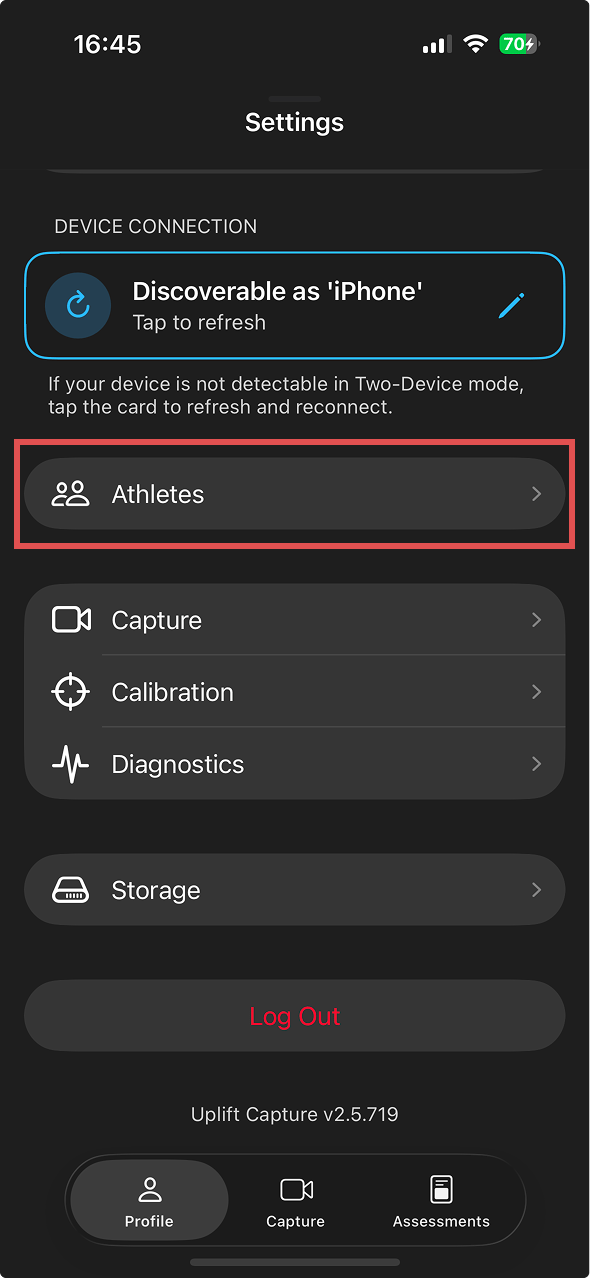
Add and manage athletes from the web platform
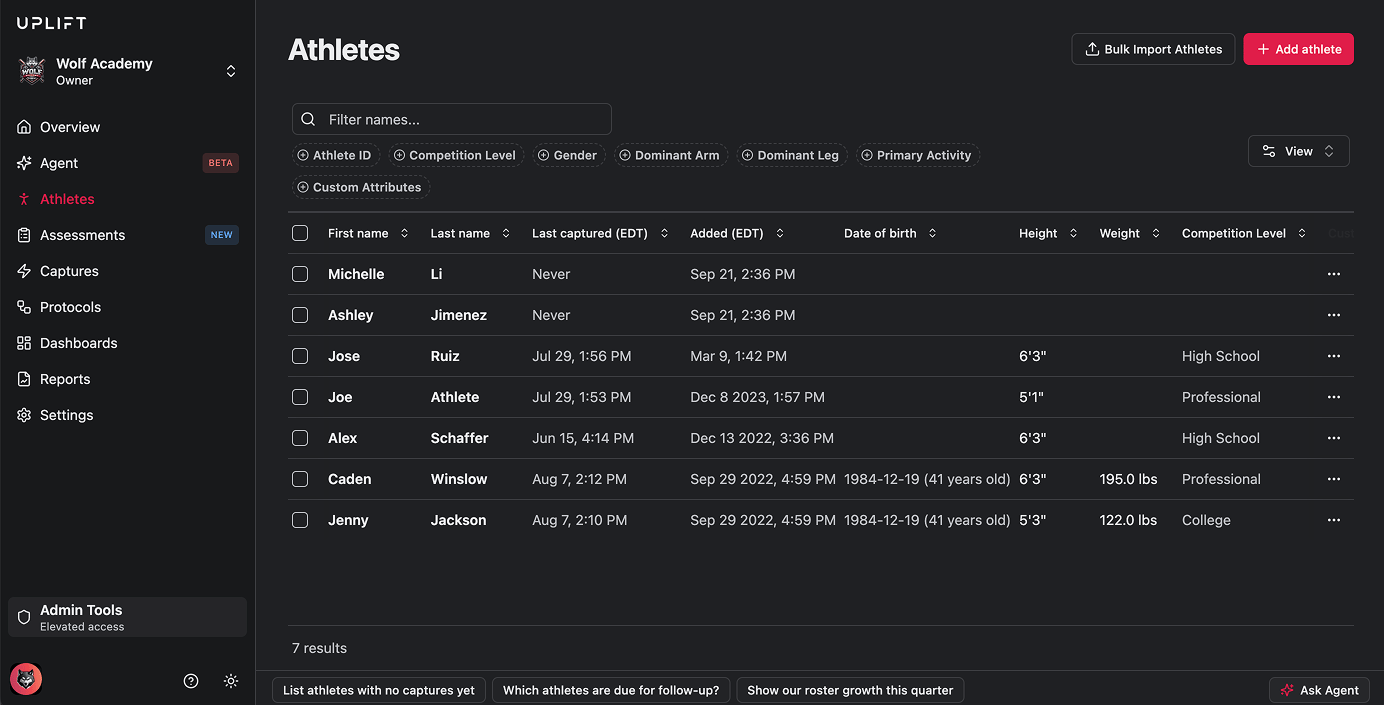
- Log into platform.uplift.ai and click Athletes in the left-hand navigation menu.
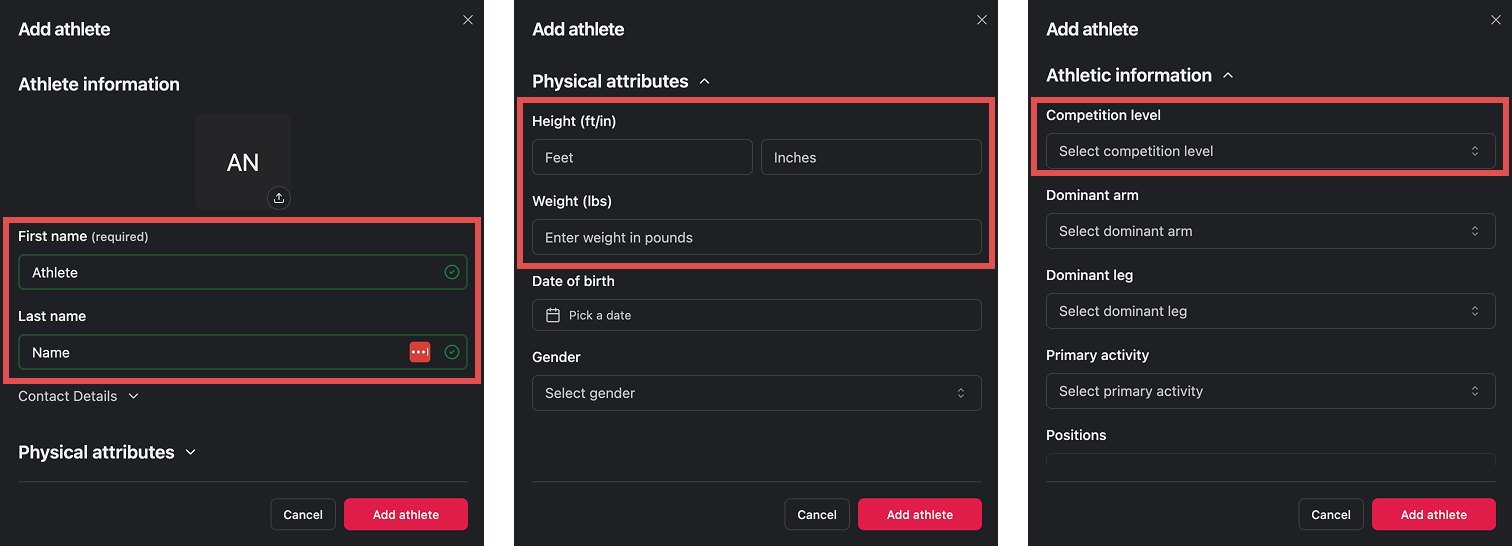
- Click Add Athlete in the upper right, then enter the athlete’s name.
- The rest of the fields aren’t required, but we highly recommend filling out:
- Height and weight (under Physical Attributes) - these improve the accuracy of certain metrics.
- Competition level (under Athletic Information) - this is used to compare the athlete against their peer group in Signals.
- Click Add Athlete to save. The athlete now appears in the athlete list on this page.
- Update Athlete - to edit their information or attributes, or
- Delete - to remove the athlete’s profile from your account.
Add an athlete from the mobile app
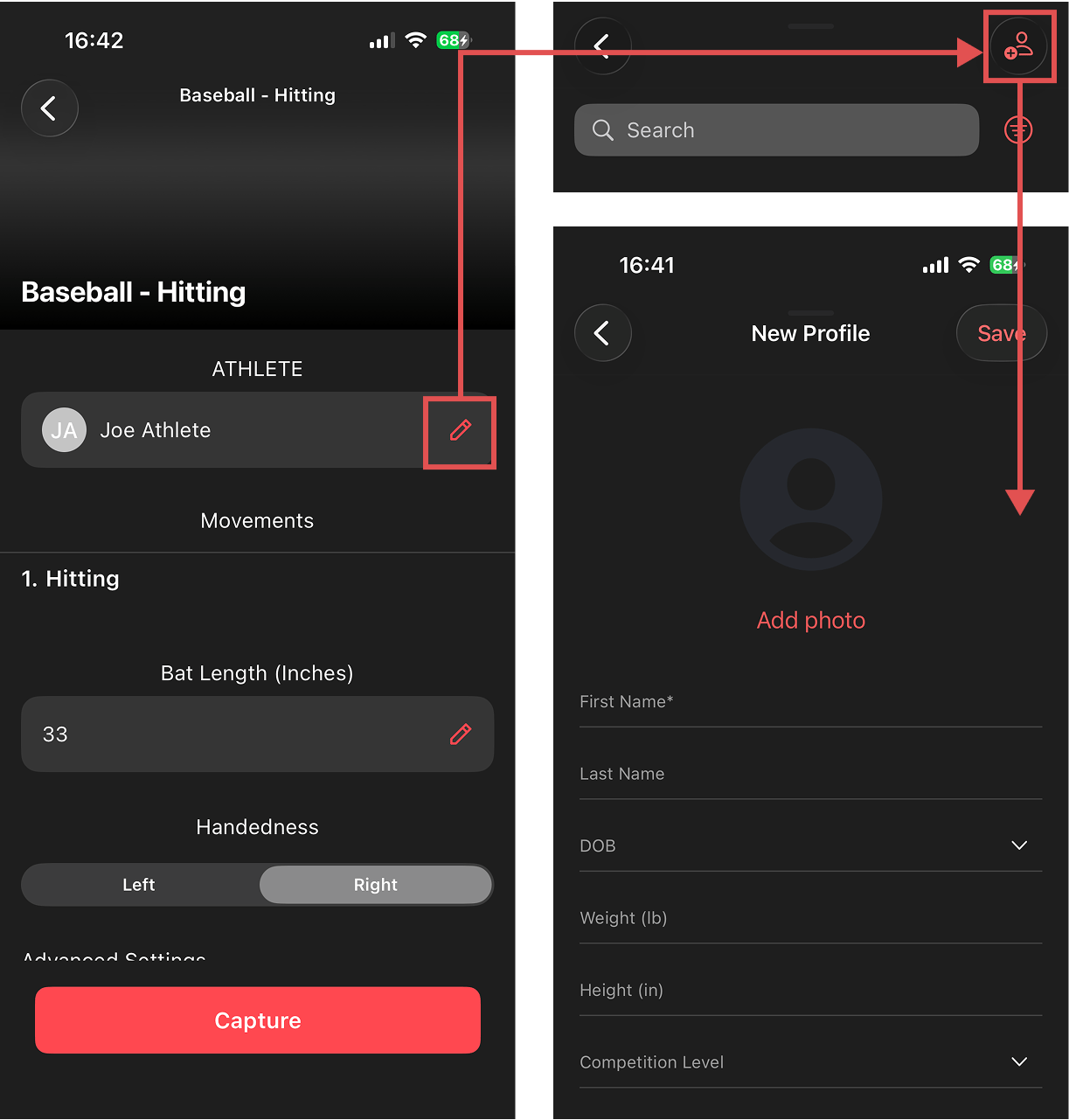
You can also add a new athlete directly while setting up a capture session:- Start a session and get to the Session details screen.
- Next to the athlete field, tap the Edit (pencil) icon to open your athlete list.
- From the list, tap the Add button in the upper right to create a new athlete.
You can also add athletes outside of the Assessment flow by visiting the Profile tab and tapping Athletes in the mobile app.